Accounts Receivable Aging Report and How to Automate It
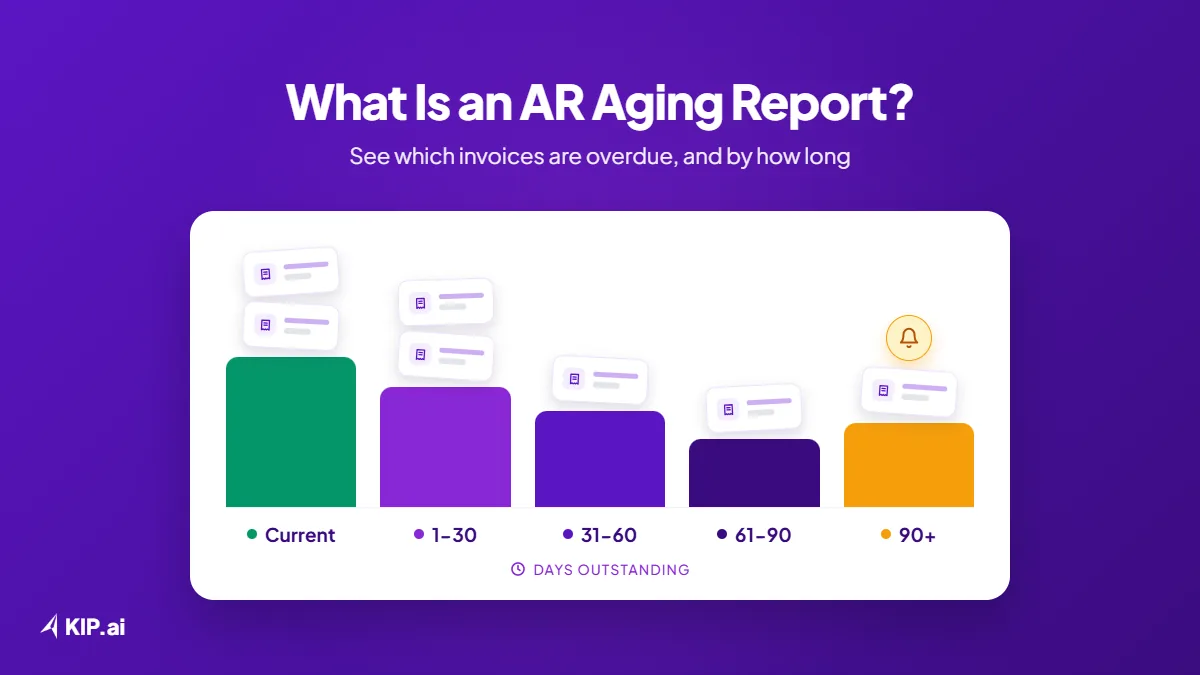
An accounts receivable (AR) aging report lists every unpaid customer invoice and groups the amounts by how overdue they are: current, 1-30, 31-60, 61-90 and over 90 days. It shows who owes you money, how late each balance is, and which accounts to follow up first.
KIP.ai by Axrail helps finance managers, AR leads and credit controllers who still build or check the aging report by hand. This guide explains the aging report, also called debtor ageing, and shows how to read it and how to automate it. Each row starts from an invoice (the bill you send a customer) and its due date, pulled from the ERP (your accounting system).
What is an accounts receivable aging report?
An accounts receivable aging report is a list of unpaid customer invoices grouped by how long each one has been outstanding. The report totals each customer’s balance by age, so finance teams can see which accounts are current and which are overdue. It is the main tool for deciding which accounts to follow up.
Each customer has a row, and each row splits the balance across the aging buckets, with a total at the end. The data comes from the invoices and payments recorded in the ERP, so the report is only as good as those records.
What are the aging buckets (current, 1-30, 31-60, 61-90, over 90 days)?
Aging buckets are ranges of days overdue that group unpaid invoices: current (not yet due), 1-30, 31-60, 61-90 and over 90 days past the due date. The further right an invoice sits, the older it is, and the more attention the account usually needs.
- Current: the due date has not passed yet.
- 1-30 days: recently overdue.
- 31-60 days: overdue by one to two months.
- 61-90 days: overdue by two to three months.
- Over 90 days: more than three months overdue.
How do you read an aging report?
Read an aging report from left to right for each customer, then check the column totals. Balances in current are healthy, balances in the older buckets need follow-up, and a customer whose balance sits mostly in 61-90 or over 90 days is the first account to review.
Generic example, not a customer. The figures are made up and in one currency.
| Customer | Current | 1-30 | 31-60 | 61-90 | Over 90 | Total |
|---|---|---|---|---|---|---|
| Customer A | 20,000 | 10,000 | 0 | 0 | 0 | 30,000 |
| Customer B | 15,000 | 5,000 | 10,000 | 0 | 0 | 30,000 |
| Customer C | 0 | 0 | 5,000 | 15,000 | 10,000 | 30,000 |
| Customer D | 25,000 | 0 | 0 | 5,000 | 0 | 30,000 |
| Total | 60,000 | 15,000 | 15,000 | 20,000 | 10,000 | 120,000 |
Customer C is the account to look at first: its whole balance is past 30 days and part of it is over 90 days, while Customer A has nothing older than 30 days.
What is the difference between AR aging and AP aging?
AR aging tracks what customers owe you, so it guides collections. AP aging tracks what you owe suppliers, so it guides payment timing. Both group unpaid invoices into the same day-range buckets, and both depend on accurate due dates and up-to-date payment records.
The reading is mirrored. In AR, an invoice in an older bucket is a customer who may need a follow-up. In AP, an invoice in an older bucket is a supplier payment that is close to late or already late.
Why does a manual aging report go out of date?
A manual aging report goes out of date because it is a snapshot built from exports and spreadsheets. Payments arrive, invoices are issued and due dates pass every day, so the buckets drift from the truth until someone rebuilds the report and matches payments to invoices again.
The drift usually comes from the same places:
- Invoice data is exported from the ERP into a spreadsheet, so the copy starts ageing the moment it is made.
- Payments are applied to invoices late, so settled invoices still show as overdue.
- Bucket formulas are maintained by hand, so one broken formula can move an invoice into the wrong bucket.
- The report is refreshed only when someone rebuilds it, so the team works from an old picture.
How do you automate the aging report?
To automate the aging report, record invoices with due dates, match incoming payments to the right invoices, and let the buckets update automatically as days pass. Then flag overdue accounts, have a person approve any reminders, and produce the report on demand instead of rebuilding it.
- Record invoices. Keep every invoice with its customer, amount and due date in the ERP or accounting system.
- Match incoming payments to invoices. Apply each payment or settlement to the invoice it pays, so settled invoices drop out of the overdue buckets.
- Update buckets automatically. Let the days overdue, and so the bucket, recalculate on their own.
- Flag overdue accounts. Surface the customers whose balances sit in the older buckets.
- Review and approve reminders. A person reviews and approves each reminder before it is sent.
- Report on demand. Produce the aging report when someone asks for it, in the format they need.
How does KIP.ai handle AR aging and collections?
KIP.ai tracks AR aging automatically in 30, 60 and 90-day buckets and surfaces the accounts that need collections attention. KIP.ai also matches incoming payments and settlements to invoices, and tracks AP aging the same way. Every exception is flagged for your team to review and decide.
Through the KIP.ai chatbot, a user can ask in plain language, for example “Pull the AR aging list”, and get the aging list back as a file in Excel, CSV or PDF. Payment reminders go to customers by email or phone call, and they are sent after human sign-off. KIP.ai connects to ERPs such as Xero, QuickBooks and Oracle NetSuite.
According to KIP.ai’s product site, teams spend 80% less time per document (15 to 3 minutes), with 90% extraction accuracy on supported documents.
The live demo on gokip.ai includes AR Payment Reconciliation and AR Settlement Reconciliation workflows with built-in sample documents, and no files or account are needed. The demo shows how KIP.ai matches payments to invoices, not the aging report itself. When you are ready to try KIP.ai on your own documents, start a free trial or book a demo.
Frequently asked questions
What is debtor ageing?
Debtor ageing is another name for an accounts receivable aging report, also written as an ageing report in some markets. It lists unpaid customer invoices by how long they have been outstanding, in buckets such as current, 1-30, 31-60, 61-90 and over 90 days, so finance teams can see which debtors owe money and how overdue it is.
Can an aging report be generated on demand?
Yes. When invoices, payments and due dates are kept up to date, the aging report can be produced whenever someone needs it. With KIP.ai, a user can ask the chatbot in plain language, for example "Pull the AR aging list", and receive the list as an Excel, CSV or PDF file.
Does KIP.ai send payment reminders on its own?
No. KIP.ai does not send payment reminders on its own. Payment reminders go to customers by email or phone call, and they are sent after human sign-off. Every exception is flagged for your team to review and decide, so people stay in control of what reaches a customer.
Can KIP.ai match payments to invoices?
Yes. KIP.ai matches incoming payments and settlements to invoices, which is AR payment and settlement reconciliation. Applying payments to the right invoices matters for aging, because settled invoices should no longer sit in the overdue buckets. The live demo on gokip.ai shows both workflows with built-in sample documents.